 FrameBridge
Any video. Any subtitles.
Right in the native Cubase & Nuendo Video Player.
FrameBridge extends the built-in video engine of Cubase and Nuendo on Windows. Modern video formats open on the native video track, and external subtitle files appear over the picture automatically — without transcoding and without burning subtitles into the video.
One-time purchase · pay what you want from US$29
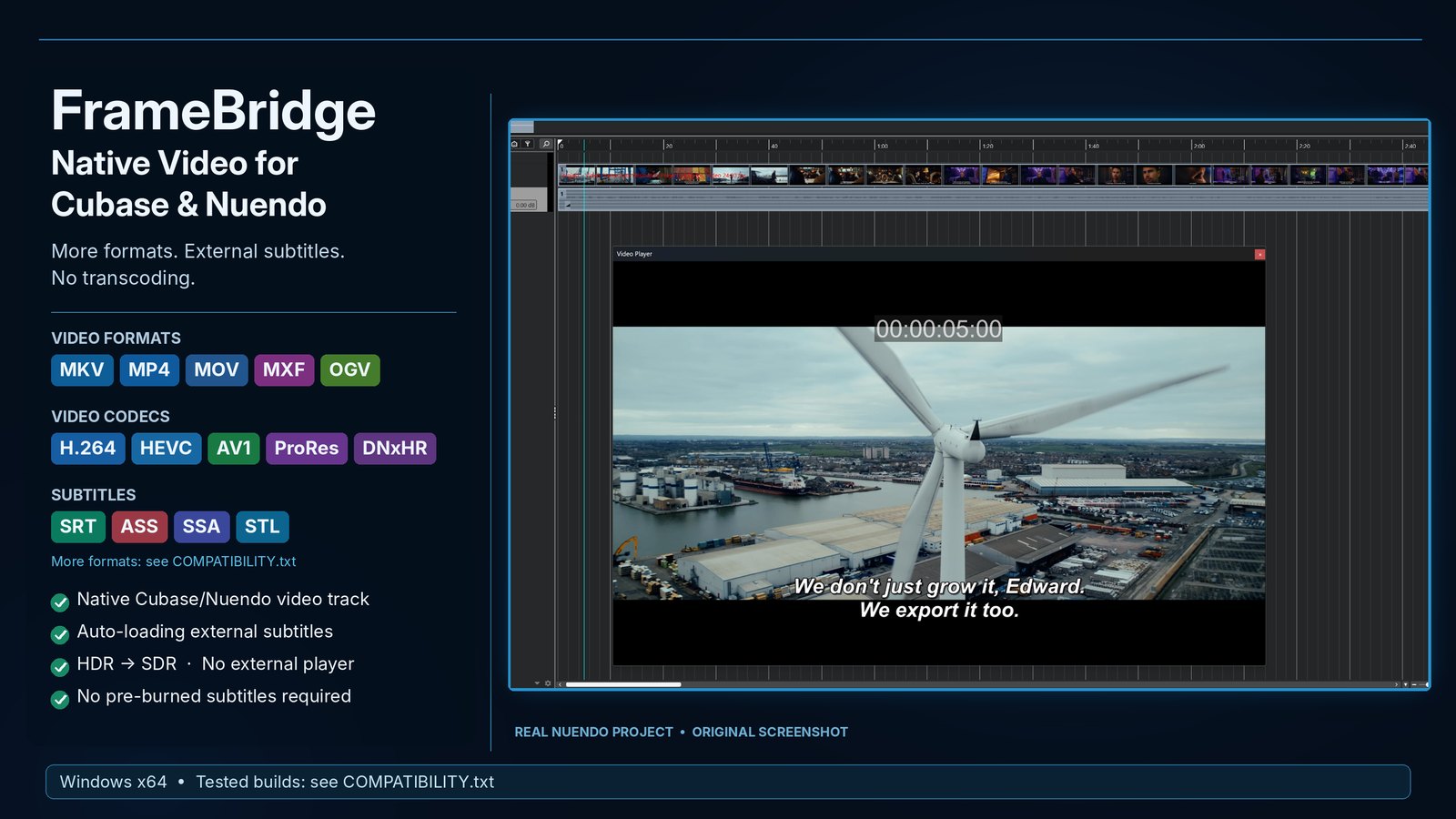 ▶ Watch the real-time demo
Real Nuendo project, original screenshot. The demo video shows installation, five different formats with subtitles in Cubase, and uninstallation — without cuts.
Install, close, forget
No codec packs, no separate video player, no conversion of every new delivery.
Run INSTALL.cmd
Close Cubase/Nuendo and run the installer. Registered installations are found automatically; otherwise pick the program's EXE or folder.
Import your video
MKV, MOV, MP4, MXF, AVI and more open on the native video track and play in the built-in Video Player, with thumbnails and audio extraction.
Subtitles appear by themselves
Put the subtitle file next to the video with the same name (film.mkv + film.srt). It is shown over the picture; edits are picked up live.
What you get
Built for dubbing and voice-over, post-production and scoring to picture.
- Works with the native Cubase/Nuendo video track and built-in Video Player.
- Extended container and codec support through packaged FFmpeg libraries (LGPL).
- External subtitles are loaded automatically and shown over the picture. The video file itself is never changed.
- Every subtitle format is drawn in one clean, readable look — no styling surprises.
- Blu-ray PGS/SUP and DVD VobSub pictures are read as text with the Windows built-in OCR.
- Audio of the video file is available on import ("Extract audio from video").
- Visually verified HDR-to-SDR conversion for supported HDR media.
- UNINSTALL.cmd restores the original program files from a verified backup, byte for byte. Projects, preferences and plug-ins are not touched.
Verified formats
Tested on real files across all verified Cubase and Nuendo builds.
Containers
Video codecs
External subtitles
PGS/SUP and VobSub text recognition uses the OCR languages installed in Windows; without the needed language the original subtitle pictures are shown. VVC/H.266 is intentionally not supported in this beta.
Compatibility
Windows x64 only. The following builds are verified:
- Cubase
- 8.0.10 and 9.0.0 (LE / AI / Elements), 10.5.0.68, 11, 12.0.10 / 12.0.51 / 12.0.52, 13.0.21, 14.0.5 / 14.0.10 / 14.0.20 / 14.0.32 / 14.0.40, 15.0.5 / 15.0.21 / 15.0.30
- Nuendo
- 10, 12.0.52, 13.0.10 / 13.0.50, 14.0.32 / 14.0.40, 15.0.21 / 15.0.30
Pro, Artist, Elements, AI and LE editions are found the same way.
Nearby builds
The video engine rarely changes within one product generation, so nearby builds very likely work too. The installer checks the video engine of each installation itself: a compatible one is offered, an incompatible one is not listed and nothing is changed. This is not a guarantee.
Performance
Heavy 4K 10-bit video (HEVC Main10, H.264 High10) needs a capable CPU/GPU. On older PCs, switching off video thumbnails and using H.264 8-bit working copies up to 1080p is recommended.
Full details and known limitations: compatibility notes.
Pricing
One price for the whole beta. No subscription.
- FrameBridge Beta for Windows x64
- All verified Cubase and Nuendo builds listed above
- Instant ZIP download after purchase
- Email support
Online checkout is being activated. Questions before then: stark622@ukr.net
Checkout is handled by Creem, our merchant of record. Applicable taxes and the final price are shown at checkout. Please check the compatibility list before buying. See the Terms of Service for refunds.
FAQ
Does FrameBridge change my video files?
No. Subtitles are displayed over the picture at playback time; the video file and the subtitle file stay exactly as they are.
How do I remove it?
Close Cubase/Nuendo and run UNINSTALL.cmd. It restores the original program files from the verified backup made during installation, byte for byte.
Does it include any Steinberg files?
No. No Steinberg file is shipped in the package; the installer works only with the files of your own installation.
My antivirus shows a warning. Why?
FrameBridge is new and its files are not code-signed yet, and the installer replaces one program DLL — some heuristic scanners flag that pattern. The release archive is scanned on VirusTotal; the installer has no network activity and keeps a verified backup for exact rollback.
Is there a Mac version?
No. FrameBridge is Windows x64 only.
Which subtitle file is picked up?
A subtitle file in the same folder with the same name as the video, for example film.mkv + film.srt. VobSub is a pair: keep film.idx and film.sub together.